

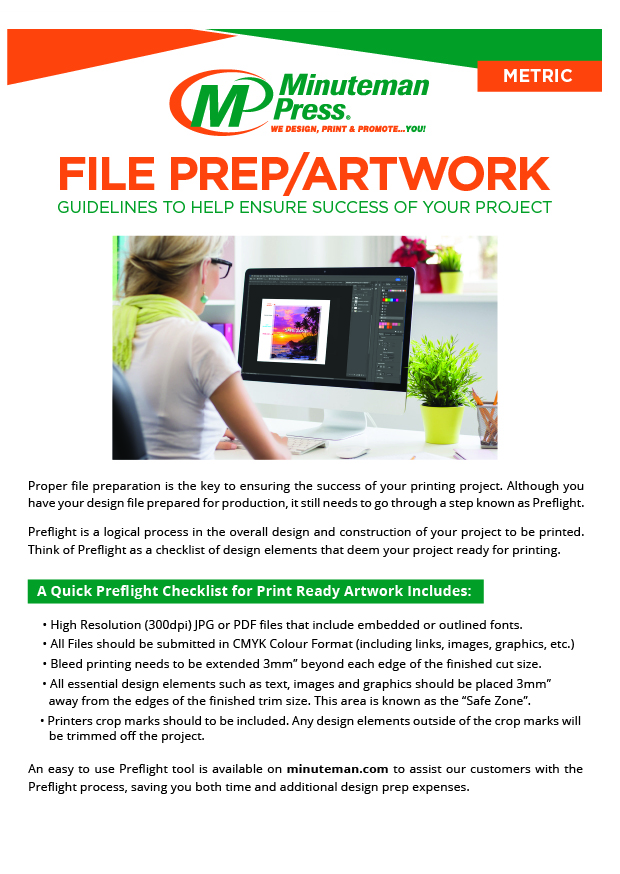
PRINT READY ARTWORK MUST SUPPLIED IN PREFERABLY IN VECTOR PDF FOR OPTIMUM PRINTING QUALITY, ALTERNATIVELY 300DPI RASTER IMAGES, WITH BLEED, TO THE EXACT SIZE REQUIRED FOR PRINTING.

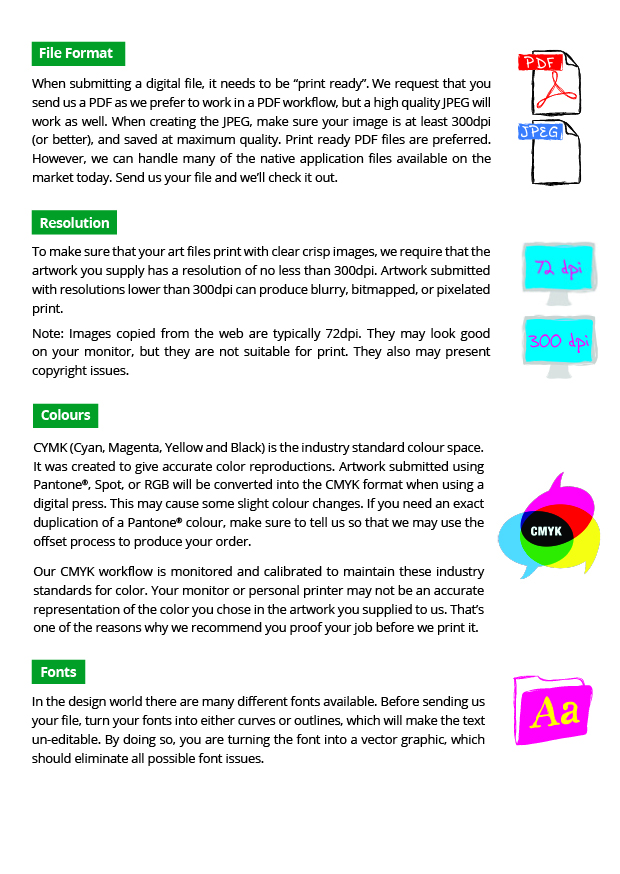
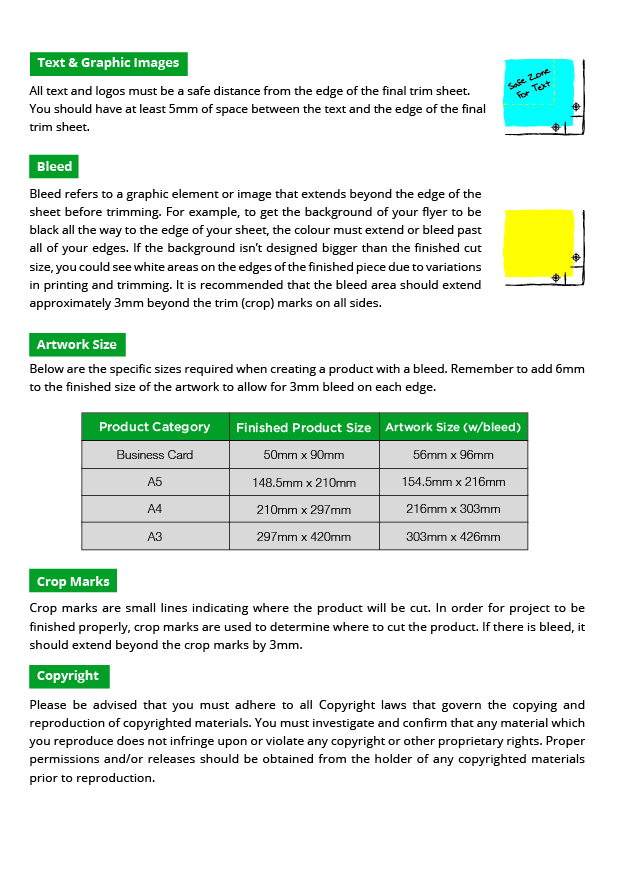
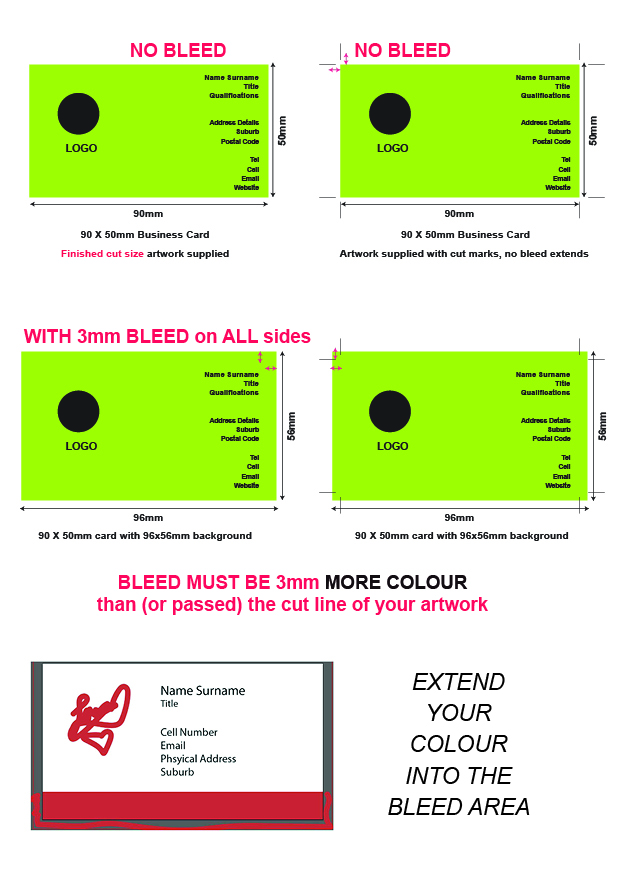
MOST IMPORTANT REQUIREMENT IS BLEED –
(Colour extended passed the actual finished cut size).
This ensures your colour prints to the edge of the paper, due to movement in the machine, if you have your artwork EXACTLY to size and it shifts, then when we cut you will get white stripes on the side.
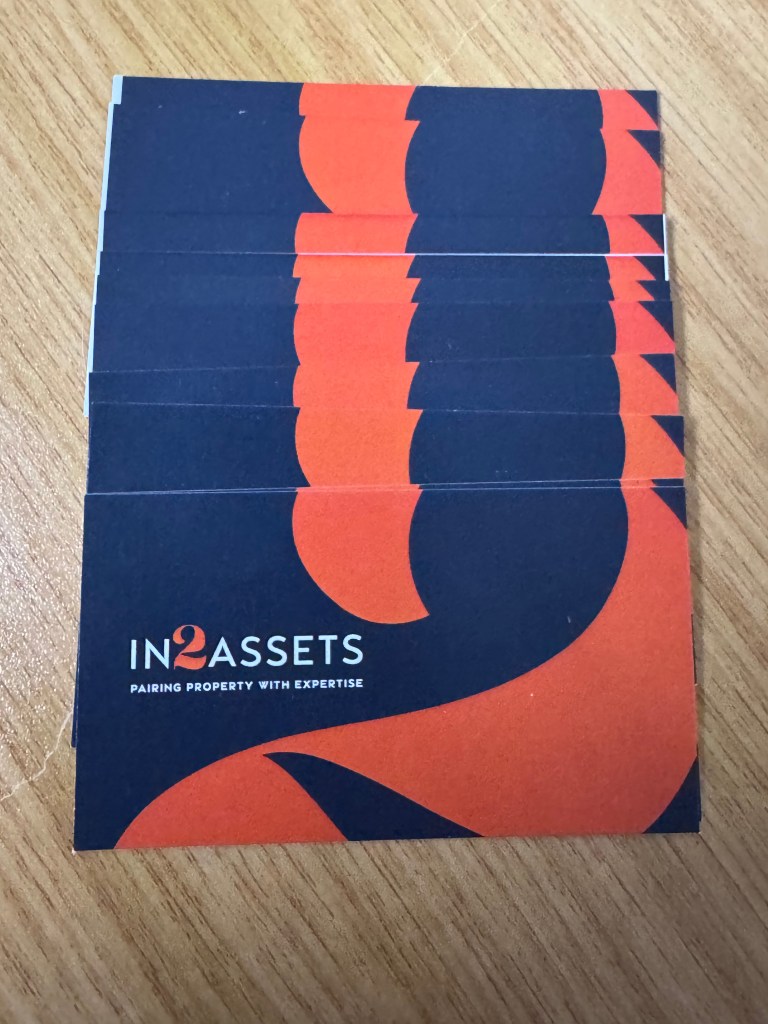
See below cards cut that had bleed (top) and the cards that didn’t have bleed (bottom) which ends up with a white stripe instead of the background colour reaching the edge of the card.
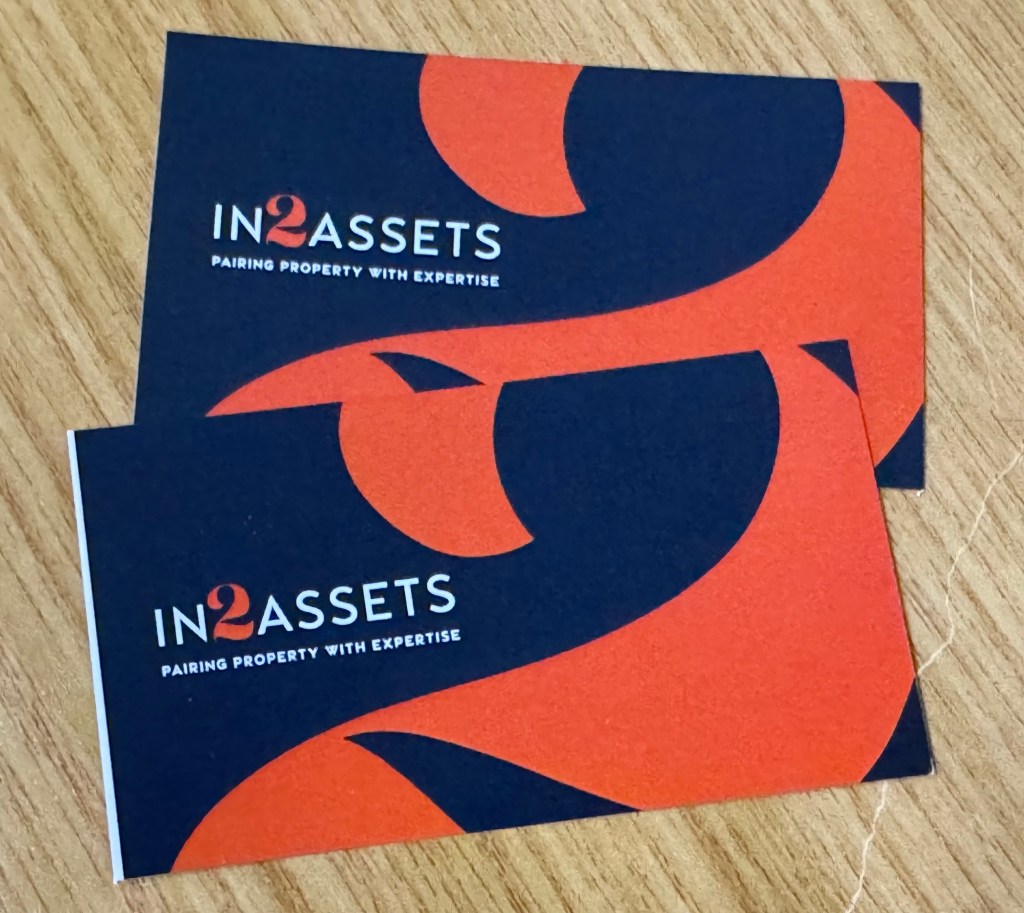
THE RESULT OF CARDS WITH BLEED VS NO BLEED
A white stripe coming from the white paper will appear. The colour must be extended 3mm passed the cut line on all sides. This makes a 90x50mm business card have artwork 96mm x 56mm (3mm left + 90 + 3mm right = 96mm).
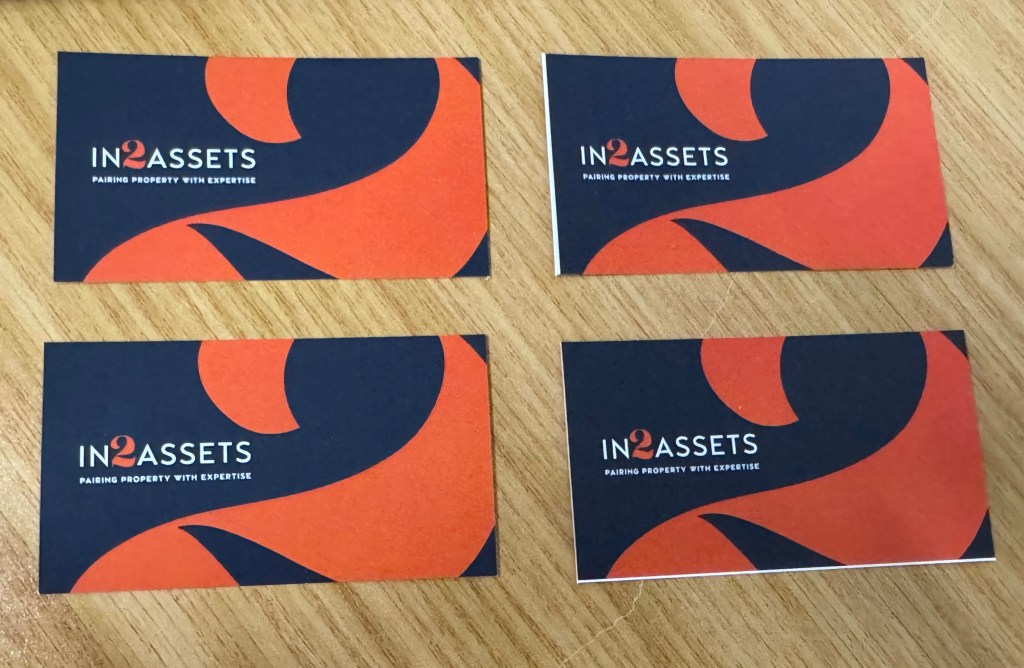
See below the difference in the printing with bleed (left) compared to printing without bleed (right)
The white spaces need to filled / extended / bled out the surrounding area on the white page with the background/design/images in your design so that there will still be a background instead of just the white from the white paper when there is movement in the machine. Thus bleed can not be white, in this design example it must be the black and the orange from the number 2 design.

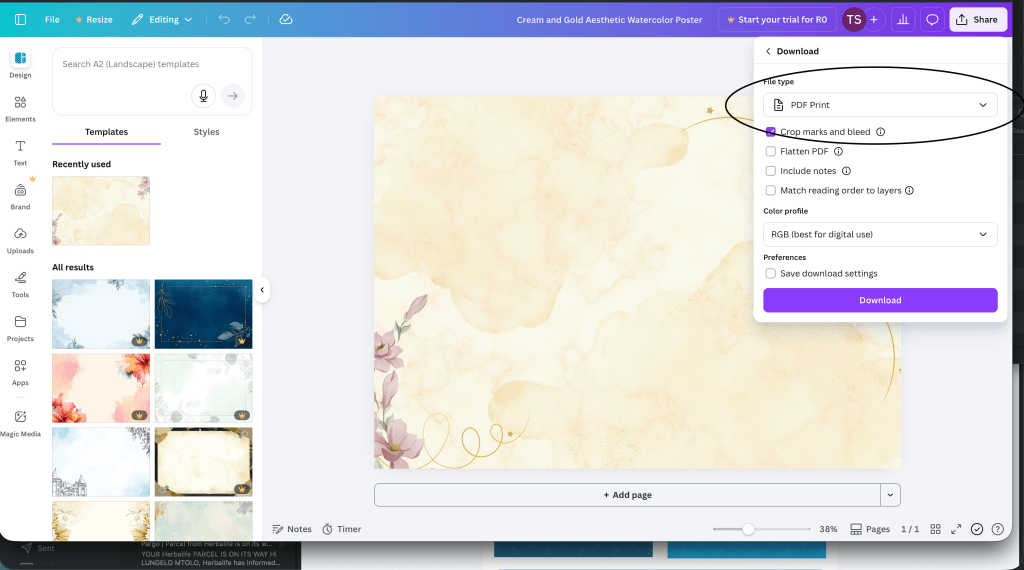
WHEN SAVING YOUR ARTWORK FROM CANVA
Click the download option and change it to pdf and then make sure the bleed and crop marks is selected. See below
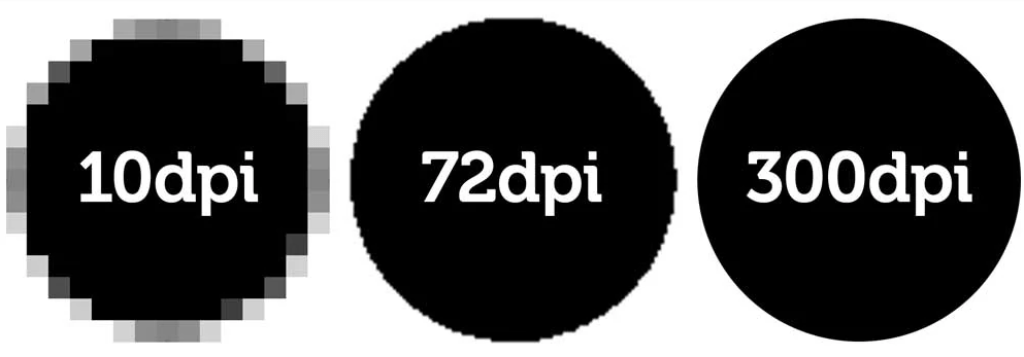
QUALITY SAVED IN YOUR FILE IS THE QUALITY THE PRINTERS WILL PRODUCE.
IF YOU ONLY SAVE A 72DPI FILE MEANT FOR EMAILS AND WEBSITE, IT WILL PRINT PIXELATED.

If you’re preparing designs for print in Kloof, knowing the difference between CMYK and RGB colour modes is essential. Colours that look perfect on your screen don’t always translate well to printed materials, and this usually comes down to whether your artwork is set up in CMYK or RGB. In this post, we’ll break down everything you need to know about CMYK vs RGB for printing so you get flawless results for your next project.
H2 – What is RGB?
Let’s start with what RGB is. RGB stands for Red, Green, and Blue, the primary colours of light used in digital displays like monitors, smartphones, and tablets. This colour model creates images by mixing these three light colours in various intensities, resulting in vibrant, glowing colours that look brilliant on screens.
RGB is perfect for anything intended to be viewed digitally, from websites to social media graphics. However, RGB isn’t designed for printing because it relies on light emission rather than ink. When you send RGB files to a printer in Kloof, the colours often come out duller or slightly off compared to what you see on screen.
H2 – What is CMYK?
Now, what is CMYK? CMYK stands for Cyan, Magenta, Yellow, and Key (Black). This is the colour model used in printing, where inks combine in layers to produce the final image on paper or other materials.
Unlike RGB’s light-based system, CMYK uses subtractive colour mixing, where inks absorb light to create different shades. Because of this, CMYK colours tend to be less bright but are more reliable for print. For businesses and creatives in Kloof, working in CMYK or converting your files before printing ensures your materials come out with accurate, consistent colours.
H2 – Difference Between RGB and CMYK
The core difference between RGB and CMYK is how they produce colour and their intended use. RGB is an additive model, designed for digital screens by combining coloured light, whereas CMYK is subtractive, using inks to absorb light and display colour on physical materials.
This technical distinction means the difference between CMYK and RGB printing is significant — colours that appear vibrant in RGB often lose their brightness when printed in CMYK. That’s why it’s crucial to preview and adjust your artwork in CMYK before sending it to print.
In Kloof, where local businesses rely on professional print materials to make a great impression, understanding the difference between RGB and CMYK colour can save headaches, reduce waste, and guarantee your marketing collateral looks exactly as planned.
If you’re unsure which colour mode to choose or need help preparing your artwork for print, Minuteman Press in Kloof is ready to assist you. We’ll guide you through the CMYK vs RGB for printing process to deliver outstanding, true-to-life colours every time.
 Minuteman Press Pinetown